
Accessing Languages: From the “Site Settings” menu, select “Languages”.
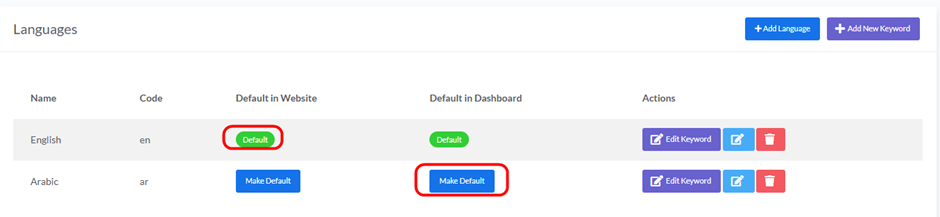
1. Make Default in Website:
- Description: To set a specific language as the default for your website’s audience.
- How to Set: Click the “Make Default” button under the “Default in Website” column next to the language you want to set as default. (Note that English is currently the default in the image).
2. Make Default in Dashboard:
- Description: To set a specific language as the default for the administrator dashboard interface.
- How to Set: Click the “Make Default” button under the “Default in Dashboard” column next to the language you want to set as default. (Note that English is currently the default in the image).


