
Overview: This section allows you to configure various settings for your online store, including catalog mode, rating system, comment system, time format, and tax percentage.
Access: From the main navigation menu on the left, click on “Shop Settings”.
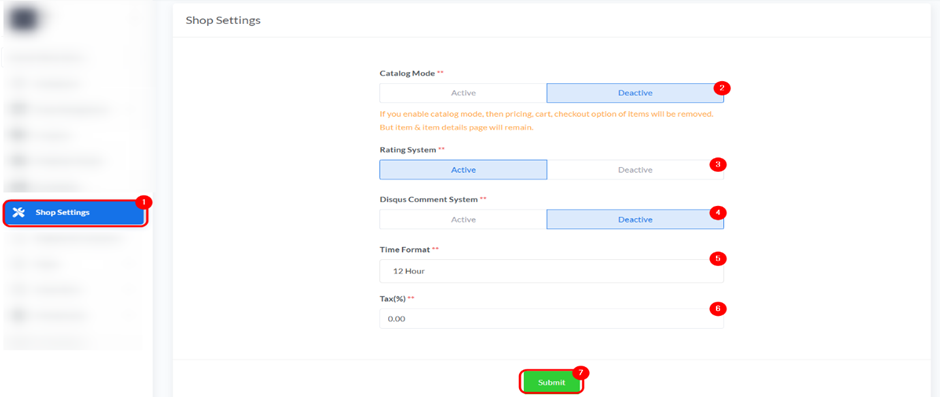
Details:
- Catalog Mode: You can set the catalog mode to “Active” or “Deactive”. If active, pricing, cart, and checkout options will be removed, but item and item details pages will remain.
- Rating System: You can activate or deactivate the rating system for products.
- Disqus Comment System: You can activate or deactivate the Disqus comment system for your shop.
- Time Format: Select either “12 Hour” or “24 Hour” for the time display format.
- Tax (%): Enter the percentage of tax to be applied to your products.
Submit: After making any changes, click the “Submit” button to save your settings.


