
Overview: This section allows you to set the numerical counts or limits for specific highlight elements displayed on your homepage, such as the number of categories, flash sale items, or top-rated products. This provides precise control over the quantity of content presented in these key sections.
Access: This section can typically be accessed via the path: “Pages” -> “Home Page” -> “Item Highlights”.
Details:
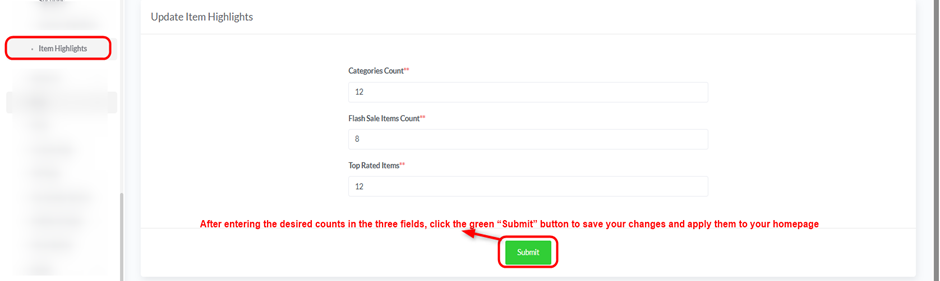
This page presents a simple form to update the specified counts:
- Categories Count:
- This field allows you to define the maximum number of categories you wish to display in the categories section on your homepage. Enter an integer value in this field.
- Flash Sale Items Count:
- Use this field to set the maximum number of products that will appear in the Flash Sale section on the homepage. Enter an integer here.
- Top Rated Items:
- This field determines the maximum number of top-rated products that will be displayed in their designated section on your homepage. Enter the desired count.
- Submit Button:
- After entering the desired counts in the three fields, click the green “Submit” button to save your changes and apply them to your homepage


