
Overview: This section allows you to manage the contact information displayed on your website’s contact page, such as the address, phone numbers, email addresses, and location coordinates.
Access: To access the “Contact Page” settings, navigate to “Pages” -> “Contact Page” in your dashboard.
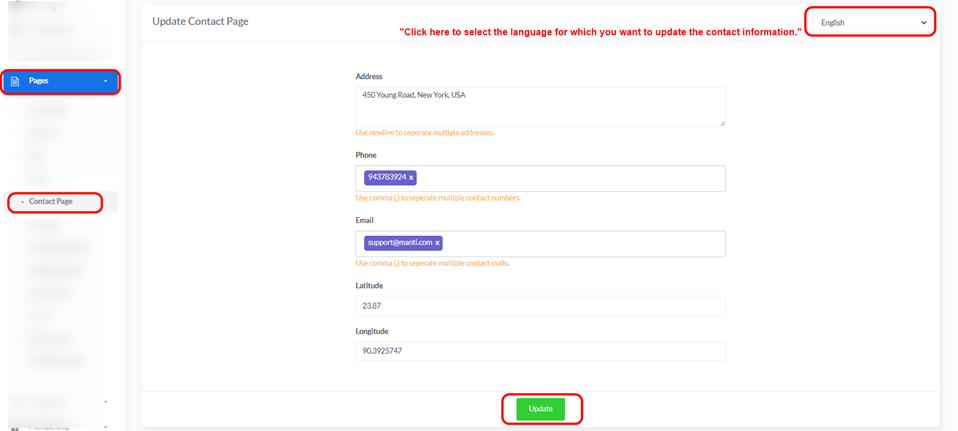
Updating Contact Information: The “Update Contact Page” displays fields for modifying contact details:
- Language: Use the drop down menu in the top right corner to select the language for which you want to update the contact information.
- Address:
- Enter the company’s address.
- “Use newline to separate multiple addresses.”
- Phone:
- Enter the phone numbers.
- “Use comma (,) to separate multiple contact numbers.”
- Email:
- Enter the email addresses.
- “Use comma (,) to separate multiple contact mails.”
- Latitude:
- Enter the latitude of the location.
- Longitude:
- Enter the longitude of the location.
- Update Button:
- After making the necessary changes, click the green “Update” button to save the information.


