
Overview: This function allows you to create a new page with custom content.
Access: To access the “Add Page” screen, follow this path in your dashboard: “Pages” -> “Additional Pages” -> “Add Page”.
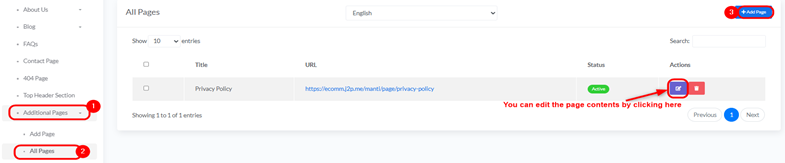
Adding a New Page:
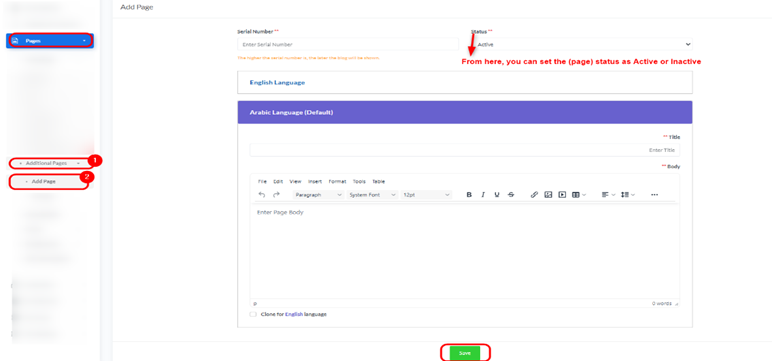
- Serial Number: Enter a serial number to determine the display order of the page.
- “The higher the serial number is, the later the blog will be shown.”
- Status: Select the status of the page, either “Active” or “Deactive”.
- English Language (Default):
- Title: Enter the title of the page in English.
- Body: Enter the content of the page using the provided text editor.
- Clone for Arabic language: Check this option to duplicate the English content for the Arabic language section.
- Arabic Language:
- If not cloned, enter the title and body content in Arabic here.
- Save Button: Click the “Save” button to save the new page.


