Adding a Delivery person option for Shipments #
While adding shipment details during a sale, the delivery person can also be added.
Adding Delivery Note for Sale #
How do we print the Delivery Receipt? #
To add a delivery note, follow the steps below.
Step 1: While adding the sales, be sure to include shipping details (You can refer to the video guide provided below for assistance).
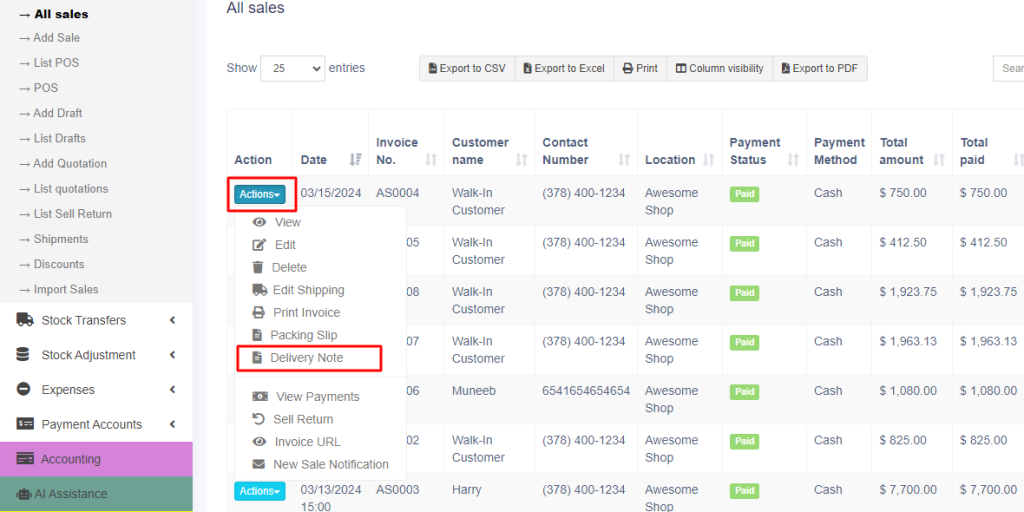
Step 2: Navigate to the All Sales screen and click on the Action drop-down menu for the specific sale added in Step 1.
Step 3: From the Action drop-down menu, select the ‘Delivery Note‘ option, and proceed to print the delivery note directly.