
This section allows you to specify the reply-to email address and the sender name that will appear on messages sent from your website.
Access: From “Email Settings”, select “Mail Information”.
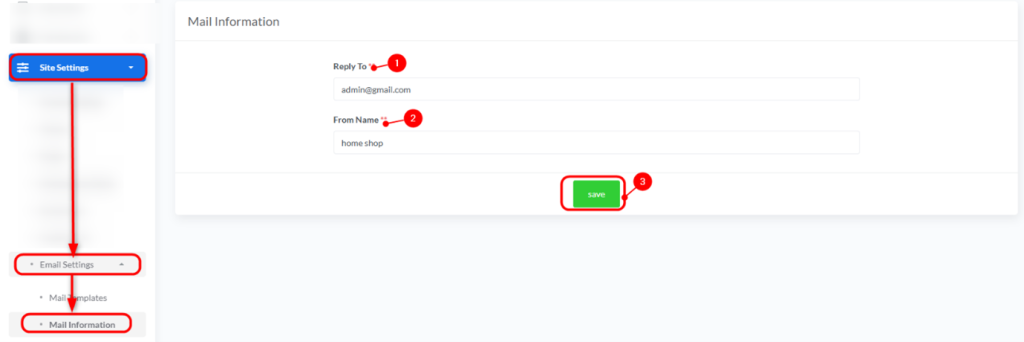
- Reply To:
- Description: This is the email address that will appear as the “Reply-To” address in messages sent from your website. When a recipient replies to a message, the reply will be sent to this address.
- How to Change: Enter the email address where you wish to receive replies (e.g., admin@gmail.com).
- From Name:
- Description: This is the name that will appear as the sender of emails originating from your website.
- How to Change: Enter the name you wish to be displayed to recipients (e.g., Buzz).
- Save:
- After entering or modifying the information, click the “Save” button to apply the changes.


