
This section allows you to manage the languages available on your website, set the default language for both the website and the dashboard, and customize keywords for each language.
Accessing Languages: From the “Site Settings” menu, select “Languages”.
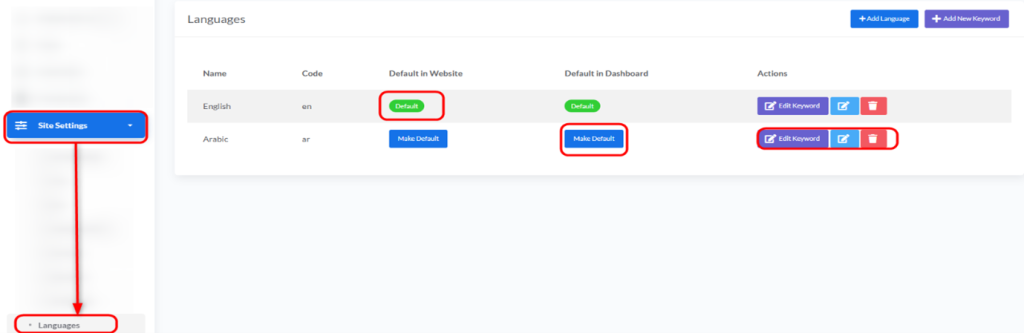
Overview of Language Management:
You will find a list of installed languages, with the following information for each:
- Name: The name of the language (e.g., English, Arabic).
- Code: The short code for the language (e.g., en, ar).
- Default in Website: Indicates whether this language is the default language for the website seen by visitors.
- Default in Dashboard: Indicates whether this language is the default language for the administrator dashboard.
- Actions: A set of buttons to perform various actions on each language.


