
Overview: This section allows you to manage the frequently asked questions (FAQs) displayed on your website, helping users find quick answers to common queries.
Access: To access the “FAQs” settings, follow this path in your dashboard: “Pages” -> “FAQs”.
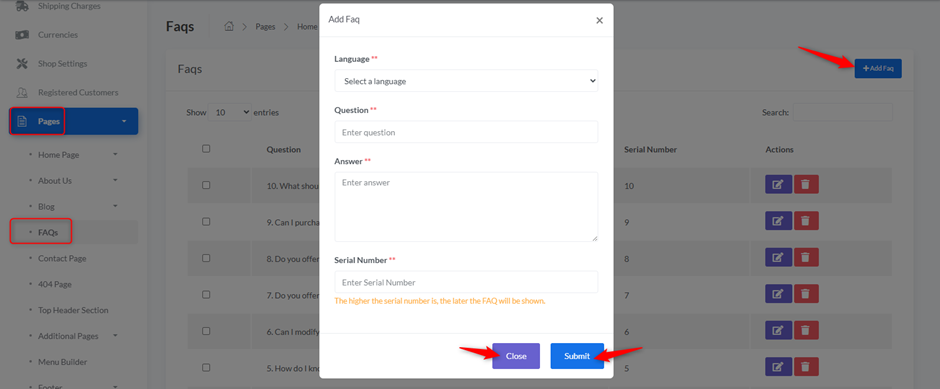
When you click the “+Add Faq” button, a pop-up window will appear for adding new FAQ details:
- Language:
- Select the language in which the FAQ will be displayed.
- Question:
- Enter the frequently asked question.
- Answer:
- Enter the answer to the question.
- Serial Number:
- Enter a serial number to determine the display order of the FAQ. The higher the serial number, the later the FAQ will be shown.
- Close Button: Click “Close” to cancel adding the FAQ.
- Submit Button: Click “Submit” to save the new FAQ.


