
Access: From “Shop Management”, select “Products”, select “Categories”, choose “Add New Category”.
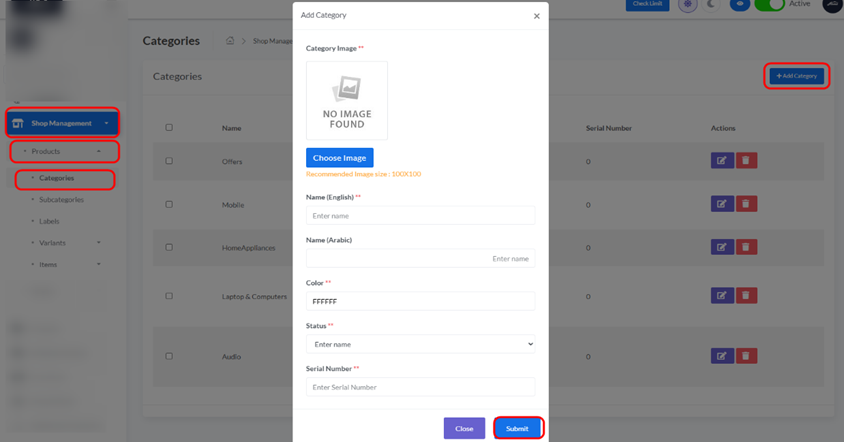
- Click the “+ Add Category” button in the top right corner.
- A new form or modal will appear:
- Name: Enter the name for your new category.
- Image: Upload an image for the category.
- Featured: Select whether this category should be featured.
- Status: Set to Active or Inactive.
- Serial Number: Assign a serial number for ordering.
- Submit/Save: Click to create the new category.


