
Overview: This section allows you to send emails to all registered subscribers on your subscriber list.
Access: To access the “Mail to Subscribers” page, navigate to “Subscribers” -> “Mail to subscribers” in your dashboard.
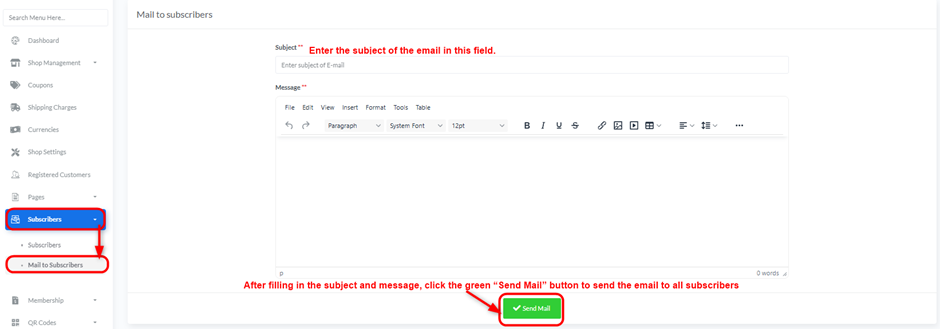
Creating and Sending an Email:
- Subject: Enter the subject of the email in this field.
- Message: Use the text editor to compose the content of your email message. You can format text and add various elements (e.g., images, tables).
- Send Mail: After filling in the subject and message, click the green “Send Mail” button to send the email to all subscribers.


