
- Access: From the main navigation menu on the left, click on “Registered Customers”, Click the “Actions” drop-down button next to each customer entry.
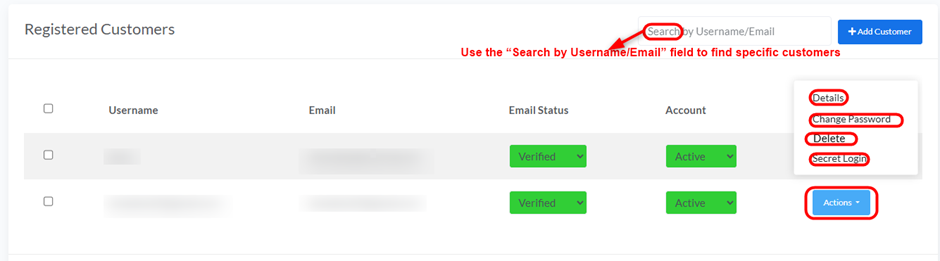
- Details: View detailed information about the customer.
- Change Password: Modify the customer’s password.
- Delete: Remove the customer’s account.
- Secret Login: Log in as the customer.
- Search: Use the “Search by Username/Email” field to find specific customers.


