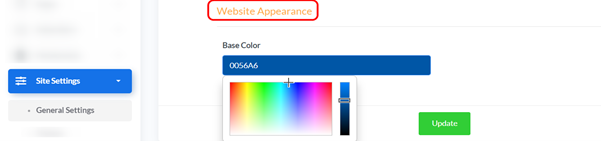
Description: Allows you to select the primary color for your website, which affects buttons and other prominent elements.
Accessing Website Appearance: From “Site Settings” menu, select “General Settings”.
How to Change: Click the color box to open the color picker and choose the desired color. The color code (e.g., FF8C37) will update automatically.
Saving Changes: After making any adjustments to the settings, click the “Update” button at the bottom of the page to save and apply the changes to your website.